
How to Access and Use the RRBet App in Nigeria
📱 Learn how to quickly set up and log into RRBet app in Nigeria. Get tips on security, solving login issues, and making smart bets hassle-free. 🔒✅
Edited By
Edward Okonkwo
The RRBet app has quickly become a favourite for many Nigerian bettors keen on accessing sports betting and gaming options on the go. Before you rush to download, it’s vital to understand the key details about the app to ensure a smooth experience.
To install the RRBet app on your smartphone, your device should meet certain minimum specifications. The app works on both Android and iOS, but for Android users, your OS version should be at least Android 5.1 or higher, while iPhone users need iOS 11 or above. The app requires roughly 100MB of free storage space — having some extra room is wise to ensure updates and smooth installation.
Not every smartphone will handle the app well. If you are using a low-end or older device, the app might lag or crash. Popular brands like Tecno, Infinix, Samsung, and Huawei with up-to-date software have shown better performance with RRBet. If you’re unsure, check your phone’s software info under settings to confirm compatibility.
Since RRBet is an online betting platform, a stable internet connection is key. Slow or unstable networks could disrupt transactions or live betting features. Using a reliable 4G service from MTN, Airtel, or Glo often gives better results than spotty Wi-Fi connections.
The RRBet app uses encryption and secure login protocols to protect user data. However, always download the app from official sources or trusted partners. Avoid third-party sites to reduce the risk of downloading tampered versions that may compromise your privacy or funds.
Tip: Always double-check permissions the app requests during installation. If it asks for unrelated access, like your contacts or microphone, proceed with caution.
Before downloading, clear some storage space, ensure your phone battery is sufficiently charged, and know your RRBet login details (email/phone and password) or be ready to register a new account. Keeping your Bank Verification Number (BVN) handy can speed up identity verification once you start betting.
Getting these basics right saves you time and potential frustration. With everything set, you’ll be ready for the step-by-step download and installation process covered next.
The RRBet app has become a popular choice for Nigerian bettors who want access to reliable and versatile sports betting. Understanding the app's key features and system needs is crucial before downloading. This overview highlights what makes RRBet stand out and what you need to operate it smoothly, ensuring you get the best from your betting experience.
Live betting options on RRBet allow users to place bets on events as they unfold in real time. This feature is especially helpful during football matches, where a sudden goal or red card can shift odds dramatically. For example, if you notice Nigeria’s Super Eagles gaining momentum, you can quickly back them to score the next goal. Such dynamic betting keeps the experience engaging and gives you more chances to profit.
The app boasts a user-friendly interface designed for Nigerian users who might be new to digital betting or prefer straightforward navigation. Clear menus, well-organised categories, and quick access to favourite sports make placing bets faster and less confusing, particularly if you’re on the move from Lagos traffic to office. This simplicity reduces mistakes when selecting matches or markets.
Secure payment methods are vital in Nigeria’s online environment. RRBet offers integration with trusted local banks and payment platforms like USSD codes, which many Nigerians prefer for their security and convenience. This protects your money and personal info, plus deposits and withdrawals process smoothly without delays often caused by third-party scams.
Nigerian users also benefit from bonus offers tailored specifically for the local market. These might include welcome bonuses, free bets, or referral rewards that boost your stake value. For instance, first-time depositors usually get extra funds to increase their chances, so it helps stretch your betting budget.
For Nigerian users, knowing which devices support RRBet matters. The app works best on Android versions 6.0 and above, covering most smartphones used locally. This ensures older devices like certain Tokunbo models can also run the app, although with some limits on performance.
Having enough storage space is another important factor. RRBet requires about 50–80 MB of free space. While this isn’t large compared to many apps, clearing your phone’s cache or uninstalling unused apps often helps prevent installation problems, especially for users juggling multiple utility apps like mobile wallets or news platforms.
A reliable internet connection is essential for smooth use. Top speed isn’t always necessary, but stable 3G or 4G networks work best to keep live betting updates and payments swift. For example, during peak hours in Abuja or Port Harcourt, fluctuating networks might cause delays, so it's advisable to use mobile data plans with sufficient data bundles or Wi-Fi where available.
Ensuring your device meets these requirements enhances your RRBet experience, avoiding interruptions that can cost both time and money during live betting.
With this overview, you’re better placed to decide if RRBet suits your betting lifestyle and Nigerian device environment before proceeding with the download.
Downloading the RRBet app on an Android device is central to enjoying its full betting experience on the go. Since many Nigerians use Android phones, knowing the proper download method ensures you avoid security risks and keep your device safe. The RRBet app offers smooth live betting and exclusive bonuses, but only if you install it correctly and get the latest version.
When downloading the RRBet app, stick strictly to the official RRBet website. Third-party sites often host outdated or tampered APK files that can introduce malware or compromise your personal data. For example, downloading from a random blog or unofficial app store exposes your phone to security threats and might cause the app to malfunction.
Using the official source also guarantees you receive genuine software updates and proper customer support. If you ever face login or payment issues, RRBet can only assist if your app is genuine.
Before downloading, confirm that the app version on the RRBet website is the newest release. Developers usually patch bugs and add features with each update. An outdated version may hinder access to new betting markets or cause stability problems.
Checking version details on the website or app’s info page helps you avoid wasting time installing a faulty or obsolete APK. For instance, if the site shows v3.5 while a third-party source offers v3.2, always pick the newer one directly from RRBet.
Android devices typically block installations outside Google Play Store for safety. Since RRBet app downloads as an APK file, you need to allow installation from unknown sources temporarily.
On most devices, go to Settings > Security > Unknown Sources, then toggle it on. For newer Android versions, this permission might appear as a per-app setting, so grant your browser or file manager permission to install apps. Remember to disable this option after installation to keep your phone protected.
Once set, navigate to the official RRBet website using a trusted browser like Chrome or Firefox. Locate the download link clearly marked for Android.
Tap the link and wait for the APK file (usually around 30-50 MB) to download fully. Make sure your internet connection is stable to avoid corrupted files. If you have limited data, consider connecting to Wi-Fi, especially when downloading updates.
After download completes, open your file manager app and find the RRBet APK file in the Downloads folder. Tap it to start installation.
Follow the prompts on screen; this usually involves just pressing “Install”. The process takes between 30 seconds to a minute. After installation, open the app to check if it launches properly.
If the app crashes, try restarting your phone or reinstalling the file. Installing the app properly lets you access all RRBet features seamlessly, so take your time to follow these steps closely.
Remember: Downloading and installing RRBet the right way keeps your Android device secure and ensures a smooth betting experience full of Nigeria-specific offers and live markets.
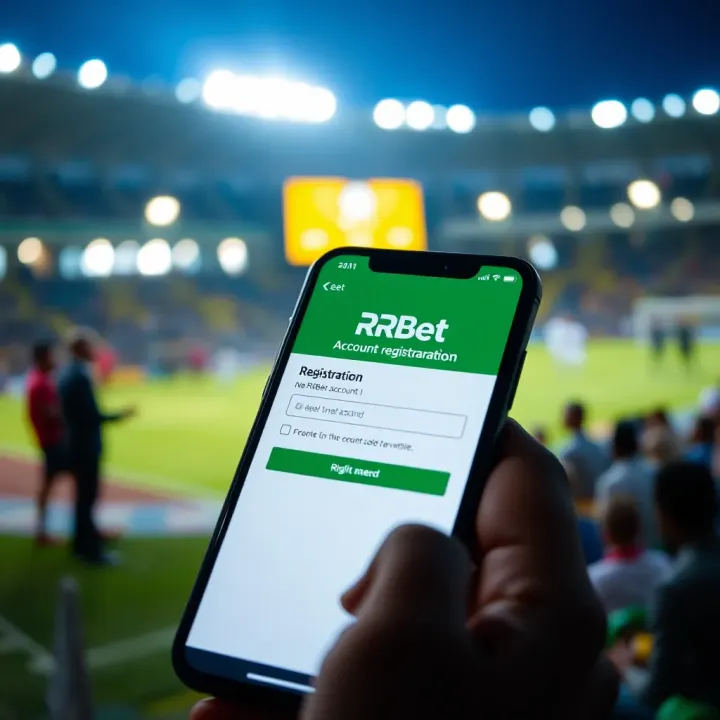
Setting up your RRBet account is the next crucial step after installing the app. This process unlocks access to all the betting features, live games, and promotions that the platform offers. Without a properly configured account, you won't be able to place bets or manage your funds efficiently. A smooth registration and deposit procedure ensures you start betting without delays or setbacks.
Required personal information includes your full name, date of birth, and a valid phone number. These details help RRBet verify your identity, keeping your account secure and compliant with Nigerian gambling regulations. For instance, providing the correct date of birth prevents underage gambling, which is illegal in Nigeria.
You will also need to input an email address, which RRBet uses for communication like sending verification links or important updates. Make sure to double-check these details for accuracy to avoid issues later during account verification or withdrawals.
Verifying your phone number is a key security step. After registration, RRBet will send a One-Time Password (OTP) to your mobile device. Entering this code confirms you have access to the phone number linked with your account. This step protects against fraud and account hijacking, common challenges in Nigeria’s growing online betting scene.
Additionally, verification helps with smooth withdrawal processes, as some payment confirmations require phone number validation. Thus, you'll save time and avoid frustration by verifying promptly.
Setting up secure login credentials involves creating a strong password and choosing a security question or two. Your password should mix letters, numbers, and symbols, offering robust defence against hackers. Avoid simple passwords like "123456" or "password" – Nigerian users sometimes overlook this, leading to compromised accounts.
Besides the password, enabling additional security options within RRBet, such as two-factor authentication (2FA), adds a further layer of protection. This is particularly important considering the increase in online scams. A secure login not just protects your funds but also your personal data.
Supported payment options in Nigeria include bank transfers, USSD codes, and popular local payment apps like OPay and PalmPay. RRBet supports most major Nigerian banks (GTBank, Zenith, Access Bank). This variety lets you pick the method most convenient for your everyday banking habits.
By offering mobile money and card payments, RRBet ensures even users without bank accounts can fund their accounts using mobile wallets or USSD channels. For example, you might use the USSD code *909# for a quick deposit without internet access.
Handling deposits via USSD and bank transfer is straightforward but requires attention. Using USSD, dial the RRBet payment number and follow prompts to complete the transaction securely. Bank transfers involve logging into your online banking app and sending money to the RRBet account number provided.
It’s important to enter details correctly. For bank transfers, your user ID or account number must appear as the transaction reference to avoid delays. For instance, if you omit your user ID, RRBet may not credit your account on time during high traffic periods.
Tips to avoid transaction failures include confirming your internet stability and ensuring your bank account has sufficient funds before initiating deposits. Also, double-check transaction details like the amount and account number. Avoid depositing unusually large sums in one go to reduce banking flags or delays.
If you notice a delay or failure, avoid repeating transactions immediately. Instead, contact RRBet customer support or your bank for clarity. Keeping transaction receipts or screenshots helps resolve disputes effectively.
Setting up your RRBet account properly from registration to deposit is vital for a smooth betting experience. Attention to details like phone verification and secure passwords shields your account, while using Nigeria-friendly payment options ensures you enjoy seamless transactions.
With your account fully set up and funded, you are ready to explore RRBet's betting markets confidently, backed by a secure and user-friendly platform.
Downloading and installing the RRBet app on your Android device is mostly straightforward, but like with any app, you may encounter some hiccups. Troubleshooting these issues quickly ensures a smooth experience and helps you get betting without unnecessary delay or frustration. This section highlights key problems users often face, from installation errors to app crashes, and offers practical solutions.
Clearing cache and storage is a simple yet effective way to resolve installation problems. Your device stores temporary files in cache that sometimes conflicts with new app installations. When the cache builds up, it can prevent the RRBet APK from installing properly or cause errors during the setup. Clearing cache frees up space and removes corrupted data, which often fixes the problem immediately. You can clear cache for the Google Play Store, the browser you used to download, or even the RRBet installer if partially installed.
Dealing with security restrictions is another common challenge. Android devices have settings to block installations from unknown sources for safety reasons. Since RRBet is downloaded directly from their website and not from the Play Store, your device might stop the installation by default. Before installing, you need to enable app installations from unknown sources in the device’s security settings. Remember to revert this setting once RRBet is installed to keep your device secure.
Ensuring device compatibility saves you countless troubles down the road. RRBet requires a certain Android version and enough storage space to function well. Users with outdated operating systems or devices with limited RAM may notice crashes or freezes. Always check RRBet’s minimum system requirements before downloading. For instance, if your device runs Android 6.0 but the app needs 7.0, it may not work properly. Upgrading your phone’s software, where possible, avoids many performance issues.
Updating the app regularly is vital for stability and security. RRBet frequently releases updates to fix bugs, improve features, and comply with new security standards. Using an outdated app means you may encounter crashes or fail to access some services. Regular updates ensure your betting experience stays smooth and reliable, saving you from frustration during live bets or transactions.
Contacting RRBet support is your last line of defence when issues persist. The app’s support team understands common problems Nigerians face with downloads or crashes and can guide you through tailored fixes. Whether you face persistent login problems or suspicious transaction errors, reach out to RRBet support for timely help. Also, keep proof of your issue handy, such as screenshots or error messages, to speed up assistance.
Addressing these problems proactively keeps your RRBet experience hassle-free and maximises your chances of winning without tech interference.
With these tips, you can quickly overcome common roadblocks while downloading and using the RRBet app. Stay informed, act promptly, and you'll enjoy seamless access to Nigeria’s exciting online betting opportunities.
Using the RRBet app for betting in Nigeria comes with the need to safeguard your personal and financial information. As digital threats increase, adopting safety measures isn't just advisable—it’s necessary. This section highlights practical steps to keep your data secure and avoid falling victim to scams, ensuring your betting experience remains smooth and worry-free.
Using strong passwords is a straightforward yet effective way to secure your RRBet account. A strong password typically includes a mix of uppercase and lowercase letters, numbers, and special characters, making it difficult for hackers to guess. For example, instead of "password123", use something like "RrBet!2024#Ng". This complexity reduces the risk of unauthorised access, especially when combined with other security layers.
Additionally, avoid using common or easily guessable passwords related to your personal details such as birthdays or phone numbers. While it might seem easier to remember, these are the first points hackers target. Consider using a reputable password manager app to generate and store your passwords securely.
Regularly updating login details strengthens your defence against potential breaches. Changing your password every few months, or immediately after any suspicious activity, cuts off access for anyone who might have obtained your old credentials. This practice also counters the risk from data leaks elsewhere, where stolen credentials can be reused.
After updating your password, log out from all devices and log back in to prevent unwanted sessions. RRBet and other trusted apps sometimes prompt password updates; don't overlook these alerts as they usually respond to detected security concerns.
Knowing how to identify the official RRBet app saves you from risking your device and money. Always download the app directly from the official RRBet website, rather than third-party platforms. The genuine app offers clear branding, frequent updates, and user support contact details. Beware of apps with names slightly altered or those requesting excessive permissions like access to your contacts or messages, which are unnecessary for betting.
Visual cues can also help: official apps tend to have professional layouts and no grammar mistakes in descriptions or interfaces. When in doubt, cross-check reviews and community feedback on reliable Nigerian tech forums or betting communities.
On the other hand, risks of downloading from unverified sources include malware infections, data theft, and financial scams. Fraudulent apps mimic legitimate ones to steal login credentials or private payment information. This can lead to unauthorised bets, wallet drain, or even identity theft.
Some fake apps might also lock you out after initial login attempts and demand ransom or personal details for recovery. These risks are not just theoretical—they occur severally across Nigeria’s booming fintech and betting sectors, making caution vital.
Always double-check the source and authenticity when installing any betting app. Your peace of mind and financial safety depend on it.
Following these safety tips ensures your RRBet experience in Nigeria stays secure, enjoyable, and profitable. Keep your details private, avoid shady downloads, and bet smartly.
📱 Learn how to quickly set up and log into RRBet app in Nigeria. Get tips on security, solving login issues, and making smart bets hassle-free. 🔒✅
⚽ Learn how to safely download the old RRBet APK on your phone! Get step-by-step instructions, key tips, and where to find trusted sources for Nigerian users. 📱

Ready to join RRBet in Nigeria? 🎲 This guide walks you through easy registration, verification tips, how to avoid errors, and payment options like Paystack & Flutterwave. Bet smart, play safe! 💰

🎯 Learn how to open your RRBet account in Nigeria with easy steps! Register, verify, fund ✍️, and start betting safely on your favourite sports. ₦ deposits made simple!
Based on 7 reviews